

- Studio Vektor
- Interactive eBooks
- BambooHR: Built-in or Bolted-on
Case study · Interactive research brief
Built-in or Bolted-on, from a four-page brief to twelve interactives
BambooHR’s brief combines its 2026 survey of more than 1,600 US workers and HR professionals with an IDC analyst study. The interactive edition lets readers work out their team’s year with AI, guess the leadership gap and see how much context changes an AI answer.

- Publisher
- BambooHR, with IDC research
- Original format
- 4-page PDF brief
- Edition
- 5 chapters, 12 interactives, a readout
- Status
- Independent portfolio demonstration
An interactive edition of a brief BambooHR published, drawing on BambooHR’s 2026 survey and an IDC analyst brief sponsored by BambooHR. The brief’s text, survey figures and IDC findings are as published; the gists, deep dives, scenarios, fictional company and quiz were written for this edition by Studio Vektor. Not commissioned by, affiliated with or endorsed by BambooHR. Calculators apply the survey’s shares to the reader’s inputs and are labelled as illustrative.

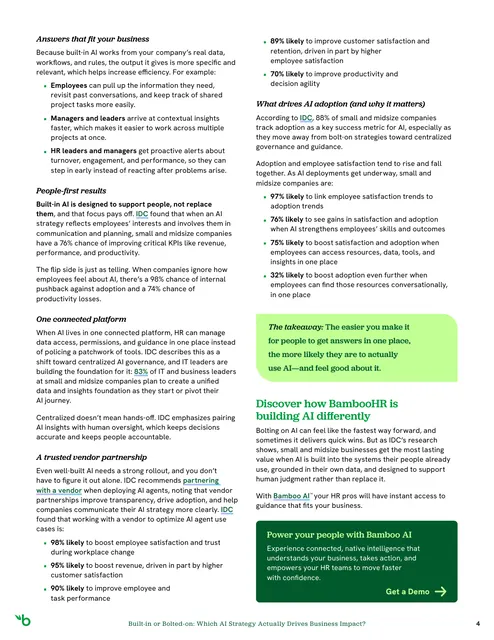
The starting point: a dense four-page brief
The brief asks whether AI at work is actually working. It compares bolting AI tools onto existing systems with AI built into the platform where people data and workflows already live, using BambooHR’s survey and IDC’s research on small and midsize companies. In print it is four tightly set pages, with the key comparison in a single table and the findings in running text.
The brief
A short brief packs a lot of numbers. The edition had to slow readers down long enough to apply them to their own company.
Make the numbers personal
Turn survey averages into a reader’s own team: minutes a day, team size and what the year adds up to.
Show the difference
Let readers see the same question answered with and without company context.
Keep the sources clear
Mark every figure as BambooHR survey data, IDC data or illustrative, with page references.
Who it is for
HR leaders, operations leaders and executives at small and midsize companies deciding how to adopt AI.
HR leaders
See what AI use costs their team’s time and where knowledge now flows through AI.
Operations and IT
Compare bolted-on and built-in approaches row by row.
Executives
Take the Quick track’s headline numbers and the five questions before choosing.
From PDF to edition, chapter by chapter
Each chapter shows the page it comes from in the four-page brief.
| Chapter | The brief’s point | In the interactive edition |
|---|---|---|
| Introduction (p. 1) | AI is everywhere at work, but is it working? Employees spend about 20 workdays a year troubleshooting AI | A read-aloud introduction, a team-year calculator and a guess at the leadership gap |
| 1 · Benefits of an AI-enabled workforce (p. 2) | Companies using AI well are more likely to grow | IDC’s lifts read two ways: % more likely or × as likely |
| 2 · Bolted-on vs. built-in (p. 2) | Most small and midsize companies start by bolting on | The brief’s comparison table to step through, and six scenarios to sort |
| 3 · Drawbacks of bolting on (p. 3) | Quick wins, then mixed results, generic answers and governance gaps | A seesaw of near-term gains and long-term costs, the same question with different context, and the team’s AI footprint |
| 4 · Why built-in drives impact (pp. 3–4) | Answers that fit the business, people-first results, one platform and a trusted vendor | A 12-second loop of built-in guidance for three roles, and two rollout choices from IDC’s data |
| 5 · What drives adoption (p. 4) | 88% of small and midsize companies track adoption as a key success metric | The adoption levers, five questions before you choose, sources and a readout |
What Studio Vektor did
Turned four dense pages into a guided, personal reading of the research.
Started from the reader’s team
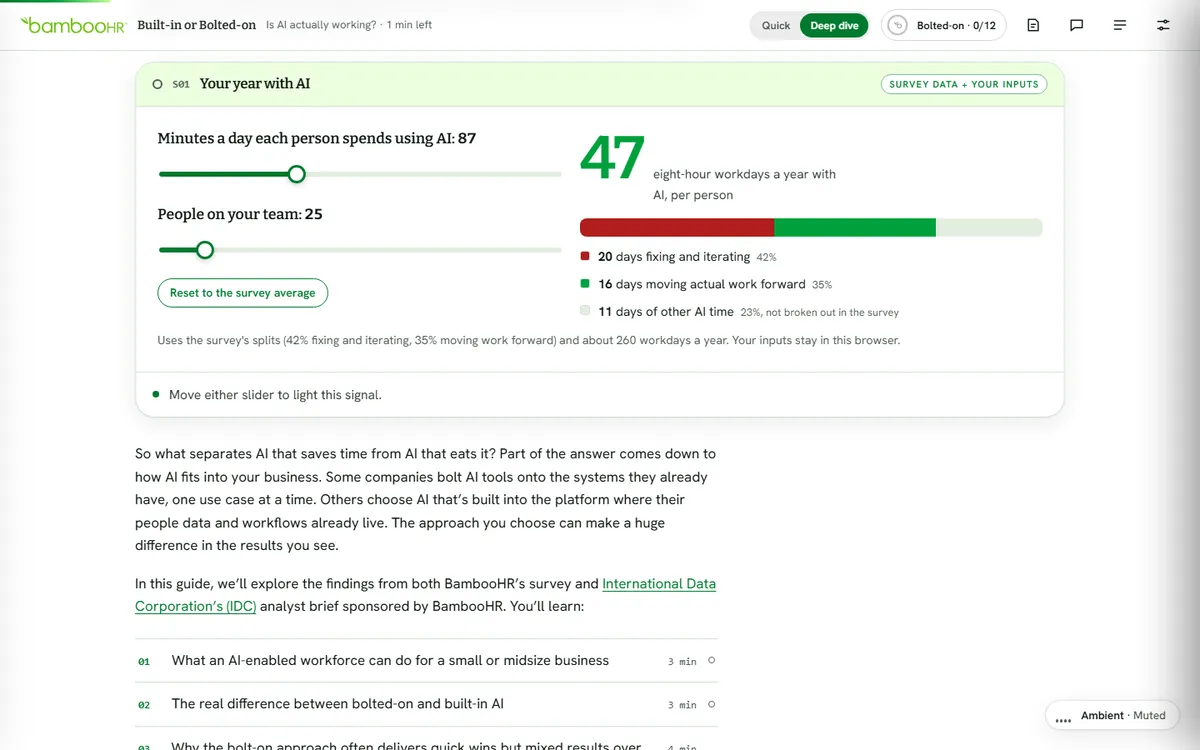
Minutes a day and team size give the eight-hour workdays a year spent with AI, split into fixing, moving work forward and everything else, using the survey’s shares.
Showed context at work
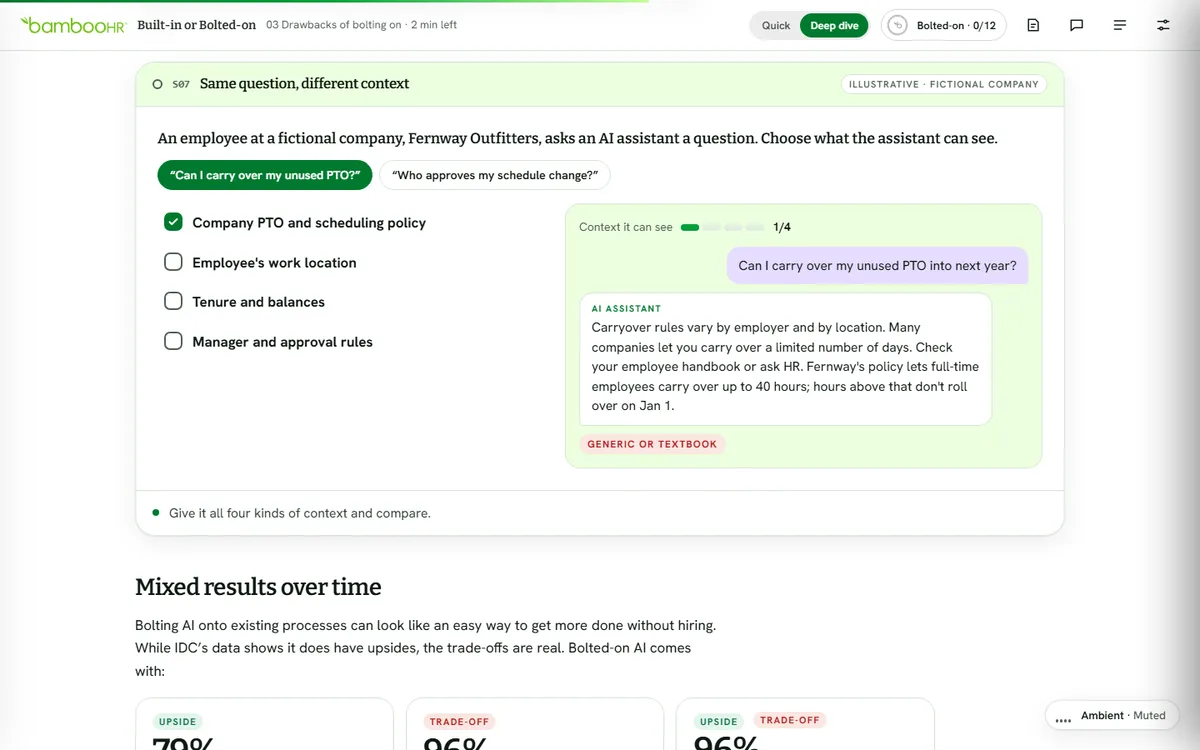
An employee at a fictional company asks an AI assistant about PTO or schedule approvals; each kind of context the reader allows changes the answer from generic to specific.
Made the cover interactive
The opening screen switches between a bolted-on and a built-in panel, previewing the brief’s argument before the first paragraph.
Labelled every source
Each interactive is tagged as survey data, IDC data, the brief’s table or illustrative, with its page.
The 12 interactives
Each interaction lights a signal; the header moves from Bolted-on as the reader goes.
| Interactive | Type | What the reader does |
|---|---|---|
| Your year with AI | Calculator | Sets minutes a day and team size to see workdays a year with AI |
| Leadership gap | Guess, then reveal | Guesses how much more time executives spend with AI than individual contributors |
| Reading the lift | Data widget | Switches IDC’s findings between % more likely and × as likely |
| Where AI lives | Table walk-through | Steps through the brief’s six-row comparison for each approach (p. 2) |
| Sort the setups | Sorter | Sorts six illustrative scenarios into bolted-on or built-in |
| Near term vs. over time | Seesaw | Drags time forward to see where the weight of bolting on lands (p. 3) |
| Same question, different context | Scenario | Adds context for a fictional company’s assistant and compares answers |
| Your team’s AI footprint | Calculator | Applies the survey’s shares to their team size |
| Built-in guidance loop | 12-second loop | Plays how built-in AI supports employees, managers and HR leaders |
| Two rollout choices | Toggle | Switches two IDC-backed rollout choices on and off |
| Adoption levers | Explorer | Explores what IDC links to adoption |
| Checkpoint quiz | Quiz | Answers five questions, each linked to the page that answers it |
Reading experience and accessibility
Four dense pages become one responsive edition that opens up the numbers.
Two tracks
Quick keeps a 30-second summary per chapter, the key stats and every interactive; Deep adds every paragraph and the editor’s deep dives.
Listen along
A read-aloud introduction using the reader’s device voice.
Reading settings
Text size, Auto, Light, Dark and Sepia themes, dyslexia-friendly type (Atkinson Hyperlegible) and bionic emphasis.
Announced results
Twenty live regions announce calculator results and quiz feedback.
Sources on hover
Hovering or focusing a link shows which of the brief’s three sources it points to.
Readout
Everything the reader did gathers into a readout to copy, share or print.
Design system
BambooHR’s forest and bright greens, with soft lavender and peach for the two approaches.
- Forest
#002814Cover and dark panels - BambooHR green
#00A03CActions, selections and progress - Lime
#C3FF96Highlights on dark grounds - Lavender
#E6DCFFBuilt-in panels - Alert
#AF1E1ETrade-offs and generic answers
Type
Bitter for display, Hanken Grotesk for reading and interface, and Atkinson Hyperlegible for the dyslexia-friendly mode.
Source tags
Survey data, IDC data and illustrative content each carry their own tag.
Upside and trade-off
Findings are marked as upside, trade-off or both, so the brief’s balance stays visible.
How it’s built
A short brief can be updated quickly: figures live as data and each interactive is self-contained.
| Aspect | Approach |
|---|---|
| Delivery | One self-contained HTML file (about 235 KB) with its images embedded. No platform, plugin or reader app. |
| External requests | The web fonts, with system-font fallbacks, and a page-view analytics tag |
| Narration | The reader’s device voice through the Web Speech API, with word or sentence tracking |
| State | Answers, progress and settings saved in the reader’s browser |
PDF vs interactive edition
The PDF summarizes the research. The edition applies it to the reader.
| Question | Original PDF | Interactive edition |
|---|---|---|
| What does AI use add up to for us? | An average for one worker | Workdays a year for our team |
| What’s the difference between approaches? | One table | A table to step through and scenarios to sort |
| Why does context matter? | A paragraph | The same question answered with more and less context |
| What do I take away? | The PDF | A readout to copy, share or print |
What we would measure
This edition is an independent demonstration with no audience data, and we don’t report results for it. For an HR software company, readers’ inputs size the opportunity.
Team size and AI use
The minutes and team sizes readers enter.
Approach
How readers sort the setups and which rollout choices they switch on.
Intent
Quiz completion, readouts shared and clicks to the publisher’s site.
Where this approach fits
Short, number-dense briefs gain the most from an interactive edition.
Survey-backed briefs
Averages that become the reader’s own numbers.
Analyst-sponsored research
Findings tagged by source and page.
Comparison guides
Two approaches readers can switch between.
FAQ
Common questions about this edition and projects like it.
Was this edition commissioned by BambooHR?
No. It is an independent portfolio demonstration built from a brief BambooHR published. The brief is BambooHR’s, and the research it cites is BambooHR’s and IDC’s; the editorial layer, interactions, design and build are Studio Vektor’s.
Are the calculator results real?
They apply the survey’s published shares to the reader’s inputs and are labelled as illustrative; real teams vary.
What would an edition like this cost?
Interactive eBooks start from $635, and the Advanced package with one defined quiz or scoring tool and interactive charts starts from $1,170. An edition at this depth, with twelve interactives and a readout, goes beyond those packages and is quoted on scope after we see your document.
Can a short brief really carry this many interactives?
Yes, when each one makes a single finding personal. Here every interactive maps to a figure or table in the four pages.
Publishing a research brief?
Make every number in your brief personal.
Survey-backed briefs and analyst research work well. Send the PDF and we’ll show you how.